Job hunting
Know when your application gets a second look.
You applied a week ago and heard nothing. It gets reopened on a Tuesday morning — that is the day to send the short follow-up, while the role is still live.
See who opens, clicks, or replies to your Gmail messages — and when interest is building — so you know when to reach out again.
Features
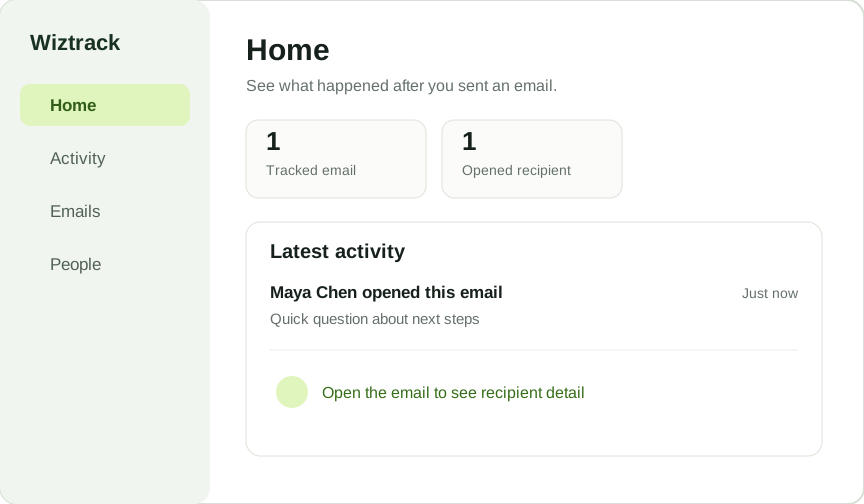
Wiztrack turns a sent email into a simple timeline you can act on.
How it works
Install once. After that you are just using Gmail.
One setup, once. Wiztrack asks for Gmail access only at this point and explains what it needs it for.
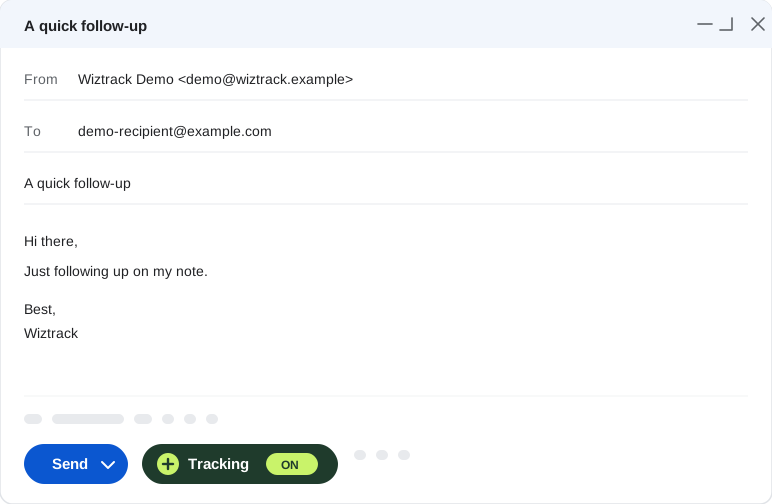
No new compose window, no separate app. Wiztrack adds one control to the window you already use.
A single click before you send. It is off by default, so nothing is tracked unless you say so.
Opens, clicks and replies appear in Wiztrack as they happen, recipient by recipient.
Who it’s for
Wiztrack is for people who send a handful of messages that count, not thousands that do not.
Know when your application gets a second look.
You applied a week ago and heard nothing. It gets reopened on a Tuesday morning — that is the day to send the short follow-up, while the role is still live.
Reach out while the brief is still open.
You sent a proposal and a link. They followed the link. A specific question now beats a generic nudge next week.
Catch the moment interest comes back.
Two weeks of silence, then the original message is opened again. Something changed on their side, and you would never have known.
Safety
Wiztrack connects through Google’s own sign-in. You approve the access, and you can remove it from your Google account at any time.
Tracking is a choice you make in the compose window, one message at a time. An email you do not switch it on for is never touched.
It is encrypted while Wiztrack is delivering it, then purged once delivery completes. What stays is the activity — recipients, subject, and who opened or clicked.
The permission Google gives Wiztrack is stored encrypted on our servers. We never sell your data or use it for ads, and you can disconnect Gmail from Settings at any time.
Your tracked emails, and who opened them, are visible to you alone. Nobody else on Wiztrack can see them.
Pricing
No card needed. Everyone we invite gets the whole of Pro at no cost for as long as early access runs.
The essentials for individual Gmail emails.
Everything you need to follow up with confidence.
FAQ
Yes. Wiztrack adds one control to the Gmail compose window you already use. There is no separate app to write your emails in.
From Gmail. You turn tracking on, then hit Gmail’s own Send button. Wiztrack is where you go afterwards to see what happened.
Recipient addresses, subjects, delivery status and activity — opens, clicks and replies. The message body is encrypted while it is being delivered and purged once delivery completes, so it is not kept.
No, and we will not pretend otherwise. Email tracking is evidence, not proof: some opens cannot be attributed, and a tracking signal tells you a message was loaded, not that somebody read it. Wiztrack reports what it can observe and says so.
Yes, and you see each recipient separately — who opened, who clicked, who replied — rather than one number for the whole message.
Not a sequences platform, a team CRM, an attachment tracker, or an Outlook add-on. It is one person’s Gmail, tracked.
We are inviting early testers in waves. Joining the waitlist does not grant access immediately; we invite people as space opens.
Join the waitlist and help shape the easiest way to track important Gmail messages.